If you have lost your server admin password and have no access to MagicINFO, please contact us.
When you still have access to MagicINFO, you can change your password with the directions below.
Step 1. Log in to the MagicINFO server.
Step 2. Click Sign Out at the upper right of the MagicINFO interface.
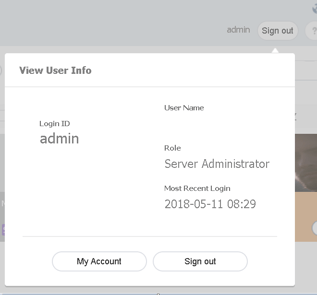
Step 3. Click My Account and then Edit.
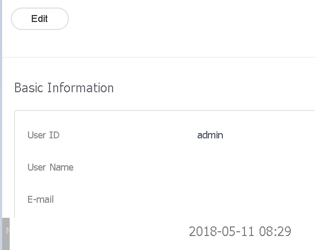
Step 4. Fill in your current password.
Step 5. In the next step, you can adjust your password.
Comments
0 comments
Please sign in to leave a comment.