You can set up your device to connect to the MagicINFO server just to use the remote control features.
This gives you complete control over the device but without the content management features. You can still use your own content application by using the URL launcher. To use Remote Management, you only need the Remote Management license (RM server), which works with S4 players or higher.
Follow the instructions below to connect your device to the remote management license.
Step 1. Set your device to the HDMI source, and then you will have access to all the menu items.
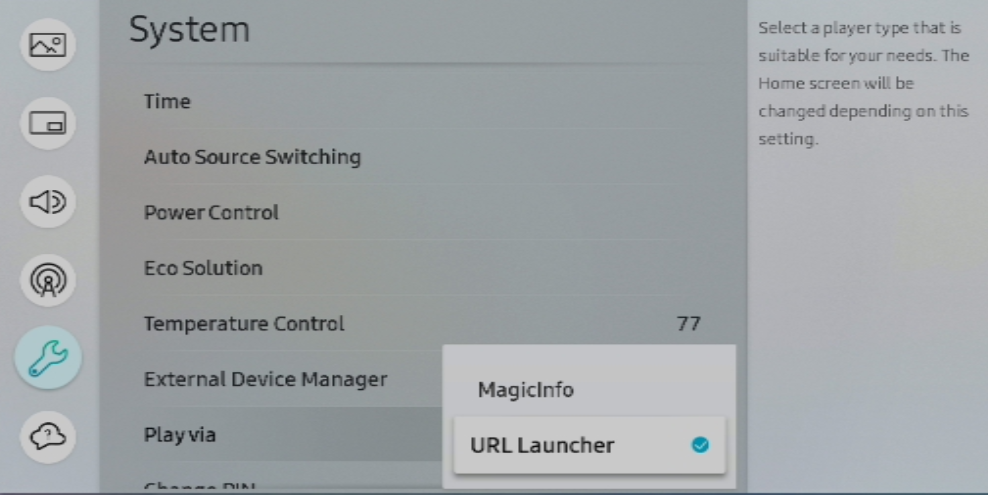
Step 2. Go into the Menu of your device to System >> Play Via and set this at URL Launcher.
Next is to set up the connection to the MagicINFO server.
Step 3. In the Menu of your device, go to Network >> Server Network settings >> Connect To Server.
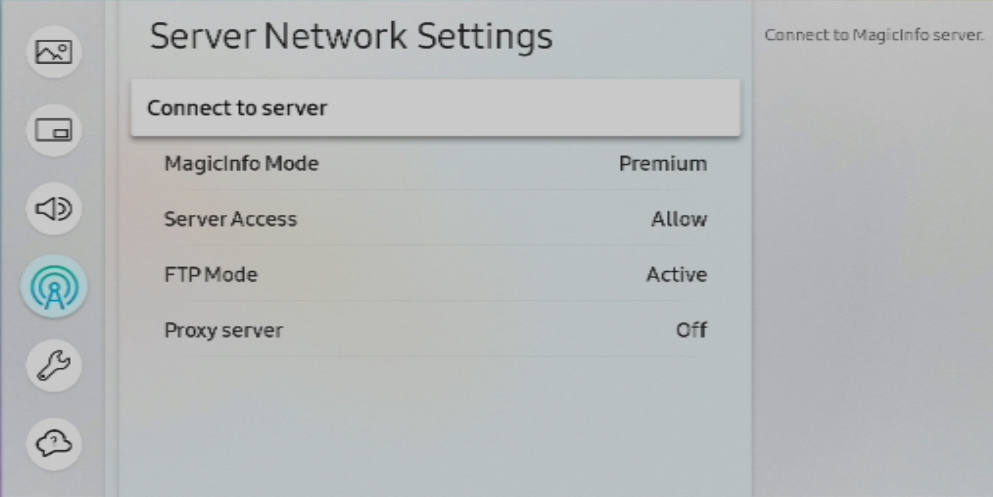
Step 4. Fill in the details.
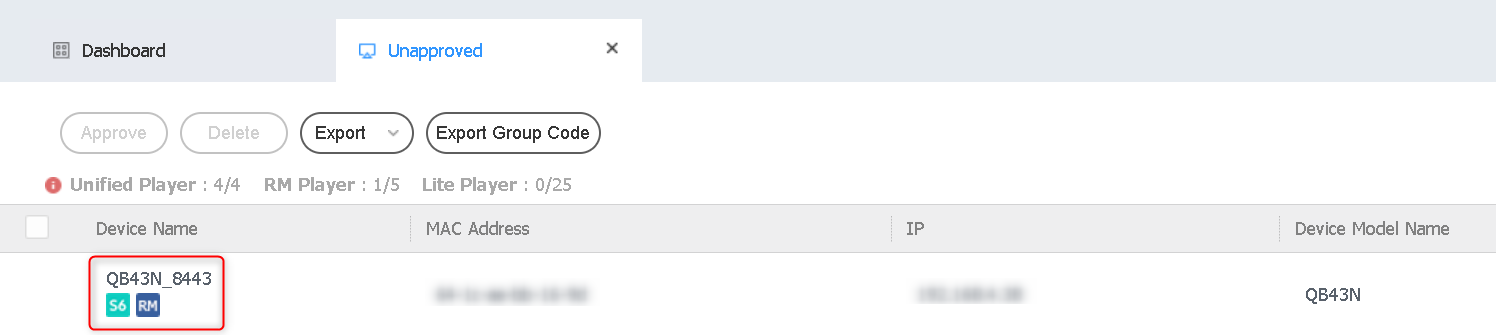
Then your device will show up on the server in the unapproved list with the RM icon.
Step 5. Select and Approve your device.
Video Tutorial:
Comments
0 comments
Please sign in to leave a comment.